
Best Multi Stop Route Planner: 10 Tools Compared
Compare the best multi stop route planner tools for complex missions, with features, limits, trade-offs, and guidance for choosing the right fit.

Approved Jets
On this page
- Table of Contents
- 1. Route4Me
- Where Route4Me earns its place
- 2. OptimoRoute
- Useful for recurring ground programs
- 3. Routific
- A practical choice for variable demand
- 4. Onfleet
- Strong execution layer, limited aviation judgment
- 5. Upper Route Planner
- Best for rules-based ground allocation
- 6. RoadWarrior
- A good execution tool, not a mission-control system
- 7. MyRouteOnline
- Flexible for seasonal and project work
- 8. Maptive
- Visualization before optimization
- 9. MapQuest Route Planner
- The right comparison is simplicity versus control
- 10. Google Maps
- Excellent navigation, weak coordination layer
- Top 10 Multi-Stop Route Planners, Comparison
- Choose by Mission Complexity, Not Brand Size
A corporate group is due to land at several airports, meet separate ground teams, move sensitive equipment between locations, and reach a final venue before a fixed departure window. One traveler needs a secure transfer, another has oversized luggage, and a schedule change at the first stop could affect every later handoff. A road map can sequence addresses, but it can't decide whether an aircraft, airport, customs process, transfer buffer, or backup location makes the whole mission workable.
That distinction matters when choosing the best multi stop route planner. The tools below are primarily road-routing, delivery, mapping, or dispatch platforms. They can be useful for airport transfers, vehicle movements, passenger pickups, and ground legs, but they don't replace aviation coordination. The comparison focuses on scale, constraints, integrations, pricing model, ease of execution, and limitations, with particular attention to time windows, service duration, vehicle eligibility, capacity, and downstream disruption.
The underlying routing problem is more complex than sorting destinations by distance. The Vehicle Routing Problem, introduced as a truck-dispatching problem in 1959, models vehicle capacity, delivery requirements, stop sequencing, and other constraints. Modern systems often use approximation methods because testing every possible itinerary becomes computationally expensive as destinations and restrictions increase, as explained in this research review of dynamic vehicle routing. For a broader mapping workflow, a guide for transit agencies on venue mapping can also help teams think about locations as operational assets rather than map pins.
When the mission requires aircraft matching, operator coordination, customs paperwork, security, catering, medical support, cargo oversight, or door-to-door logistics, Approved Jets can be introduced as a coordination partner rather than a software substitute. The list starts with the tools best suited to structured, constraint-heavy ground operations.
Table of Contents
- 1. Route4Me
- 2. OptimoRoute
- 3. Routific
- 4. Onfleet
- 5. Upper Route Planner
- 6. RoadWarrior
- 7. MyRouteOnline
- 8. Maptive
- 9. MapQuest Route Planner
- 10. Google Maps
- Top 10 Multi-Stop Route Planners, Comparison
- Choose by Mission Complexity, Not Brand Size
1. Route4Me
Route4Me is the strongest fit here for organizations that treat routing as an operational system rather than a one-off driving task. Its enterprise orientation supports multi-vehicle, multi-depot planning, time windows, territories, capacities, and other constraints that resemble the coordination problems found around complex aviation missions. A corporate travel team could use it to organize several airport transfers, assign vehicles to passenger groups, and account for pickup windows or service requirements.
The platform also stands out for its APIs, SDKs, marketplace, and Feature Manager. That combination matters when a company wants to connect route planning with dispatch, safety, fleet, or data systems. Add-ons include voice-guided navigation, SFTP automation, and other operational integrations. A team could, for example, pass confirmed ground legs into a workflow that alerts dispatchers when an aircraft arrival changes, although aviation-specific feasibility would still need human review.
Where Route4Me earns its place
Route4Me offers a 7-day free trial with unlimited optimization, which gives an operations team a practical way to test data imports, constraints, and integrations before committing. The platform is highly configurable, but that strength can become a drawback for a small company that only needs to arrange a few transfers.
Pricing and many capabilities are handled through paid add-ons and aren't fully listed publicly. That makes total cost harder to estimate than a simple per-driver or per-order product. For a private aviation broker, the bigger limitation is scope. Route4Me can coordinate road movements, but it doesn't select aircraft, vet operators, or manage customs and passenger requirements.
Practical rule: Use Route4Me when integration and constraint handling matter more than immediate simplicity.
2. OptimoRoute
OptimoRoute takes a more accessible path into serious route optimization. It targets small and mid-market delivery or field-service teams, but its ability to plan large batches makes it relevant to travel coordinators managing repeated ground movements. A team could use it to organize airport pickups, hotel transfers, and venue departures across several travelers, provided the required information can be expressed as road-route constraints.
Its driver-based pricing model is easier to evaluate than a product assembled from numerous add-ons. Lite and Pro plans provide a clear starting structure, while higher tiers add weekly planning and analytics. The platform also includes live tracking, ETAs, and proof of delivery, which helps a coordinator confirm whether a transfer has progressed rather than relying on a driver call.
Useful for recurring ground programs
OptimoRoute can plan several hundred to about 700 to 1,000 orders at once, depending on the configuration and plan. That makes it better suited to a corporate mobility program or event operation than a lightweight map app. A sports team moving players, staff, and equipment between hotels, airports, training sites, and venues could use the batch-planning workflow to test different sequences and driver assignments.
The 30-day free trial helps teams assess the product against real schedules without a long-term contract. Still, some advanced and enterprise features require the Custom tier, and lower plans may not provide the depth needed for complex organizations. It also remains a ground-routing platform. It won't determine whether an aircraft can carry the group, whether an airport is suitable, or whether customs timing makes a connection realistic.
OptimoRoute is most persuasive when the operation has repeatable ground demand, several drivers, and a clear need for live ETAs.
3. Routific
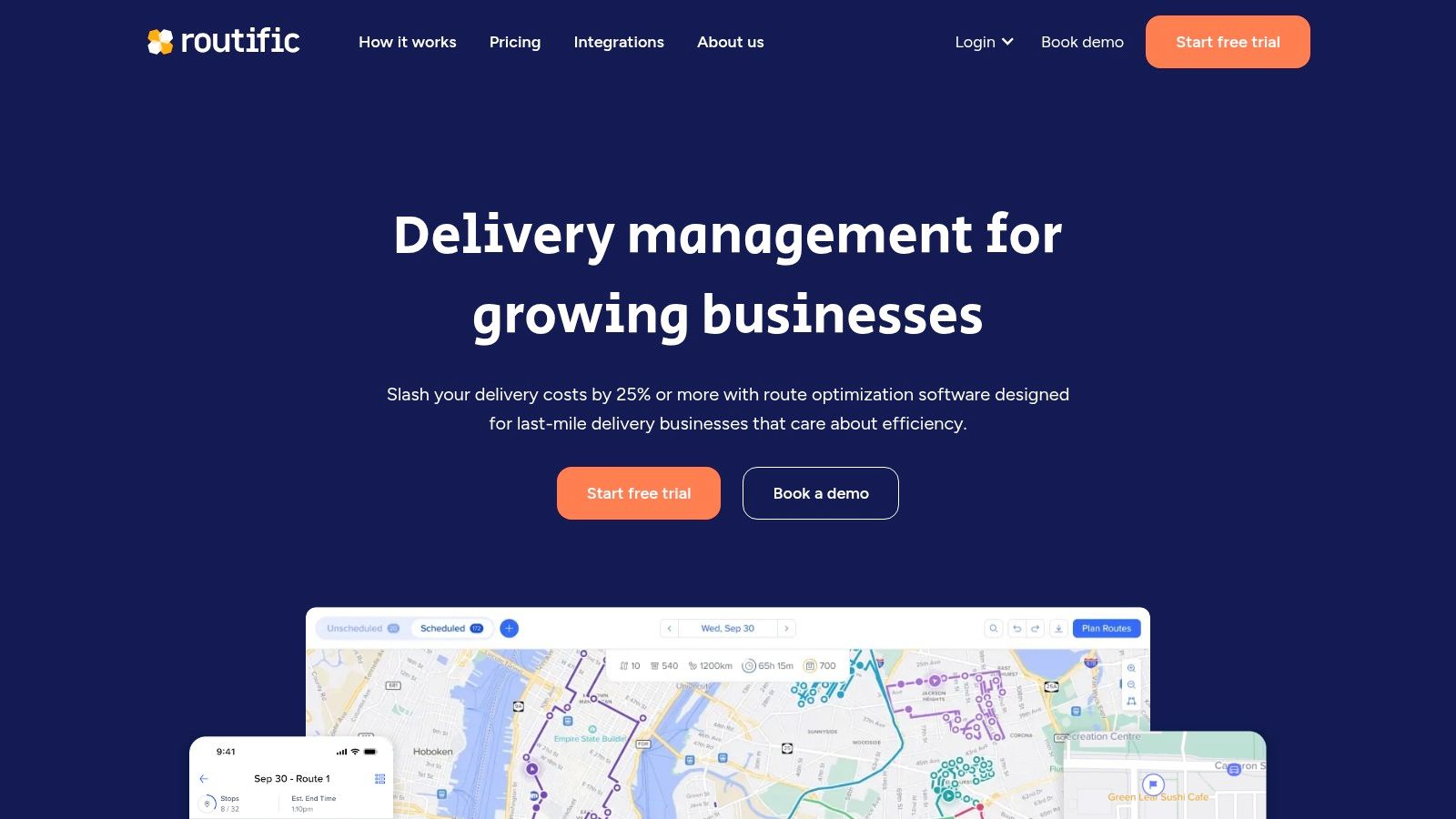
Routific is built around delivery operations, and that focus makes it comparatively easy to adopt. Its pricing scales by monthly order volume rather than seat count, which can work well for organizations with variable or part-time drivers. A travel manager arranging occasional event transfers may prefer that structure to paying for a large number of permanent users.
The platform supports unlimited drivers and dispatchers, multi-depot operations, GPS tracking, customer notifications, and proof of delivery. Those capabilities move it beyond a simple route sequence. For example, a coordinator could assign separate airport-to-hotel routes to different vehicles, monitor progress, and preserve a completion record for each passenger or equipment handoff.
A practical choice for variable demand
Routific includes a free tier for up to 100 monthly orders, making it suitable for light users and initial testing. Its inclusive feature approach is attractive for teams that don't want essential functions split across numerous plans. The order-based model can also be economical when the workforce changes from one project to another.
The limitation is the same feature that makes the pricing flexible. High-frequency operations with many small stops may find per-order metering less comfortable than per-driver or flat-seat pricing. Routific also isn't an aviation coordination platform. It can help manage the van that takes passengers from an airport to a meeting, but it can't validate the aircraft leg, customs paperwork, luggage suitability, or alternate airport strategy.
A useful test is to model one real mission with separate stop types, service durations, and passenger requirements. If the workflow still requires extensive manual notes outside Routific, the tool may be handling only the easiest part of the itinerary.
4. Onfleet
Onfleet combines routing with the wider last-mile operation. It includes dispatch, a driver app, recipient communications, analytics, barcode and ID scanning, automatic dispatch, and ETA notifications. That makes it more relevant than a basic optimizer when a coordinator needs to manage what happens after a vehicle leaves the airport.
A private aviation support team could use Onfleet for controlled ground handoffs involving documents, luggage, equipment, or passenger transfers. Proof of delivery, branded receipts, telephony masking, and operational analytics can create a clearer record of who handled a movement and when. Those features matter where a route is part of a service commitment rather than just a sequence of roads.
Strong execution layer, limited aviation judgment
Onfleet provides a 14-day free trial and allows unlimited users on its plans. Its APIs and webhooks also support integration with other business systems. The Courier Suite add-on is designed for carriers and can extend the platform's operational reach, but it raises the total cost.
The product's pricing tiers are aimed at higher task volumes, so it may be expensive for very small fleets. Some enterprise options and the Courier Suite are add-ons, which means teams should calculate the full workflow rather than compare only the entry price.
Onfleet's central strength is execution. It can notify a recipient that a driver is approaching and record a completed handoff. It can't decide whether a late aircraft arrival requires a different airport, a replacement vehicle, a revised passenger plan, or a flight change. That boundary is important for executive travel, where a ground delay can affect meetings, security arrangements, and later legs.
5. Upper Route Planner
Upper Route Planner is a useful middle ground for delivery and field teams that need more than navigation but don't want the full complexity of an enterprise routing stack. It combines driver apps, live tracking, proof of delivery, territory management, business rules, and AI-assisted driver assignment. Those functions support a ground operation in which workload balance matters as much as raw distance.
Its higher tiers support route stop caps of up to 1,500 or more, while APIs and webhooks become available at higher plan levels. The large route capacity could help an event organizer coordinate many local pickups, but stop count shouldn't be confused with mission readiness. A route can contain many addresses and still fail if service times, access restrictions, or passenger deadlines aren't modeled correctly.
Best for rules-based ground allocation
Upper can enforce territory and business rules while assigning work across drivers. A corporate travel team might separate routes by airport, assign a suitably equipped vehicle to a particular passenger group, or prevent a driver from receiving transfers outside an approved area. These controls are more useful than a simple shortest-distance result when multiple handoffs are involved.
The product uses clear per-user pricing, but the API, webhooks, and very high stop limits require higher tiers. That can make the entry plan look more capable than the final configuration needed by a complex operation.
For private aviation teams, the relevant question is whether the ground plan is being treated as part of a broader travel workflow. A corporate flight management resource can provide context for the responsibilities that sit beyond vehicle assignment, including aircraft and passenger coordination.
Upper Route Planner works best when managers need explicit business rules for ground teams, not merely a faster way to draw routes.
6. RoadWarrior
RoadWarrior is the most natural choice in this list for a solo driver, courier, or field representative who wants to build a route quickly and execute it through a familiar navigation app. Its mobile-first design emphasizes low friction. A driver can plan a day of airport transfers, site visits, or client stops without adopting a full dispatch platform.
The Pro plan can optimize up to 120 stops per route, and team options are available. RoadWarrior also supports offline navigation handoff and works with apps such as Apple Maps and Waze. That makes it practical when the planner should determine the sequence but the driver prefers a navigation tool already used every day.
A good execution tool, not a mission-control system
The clear documentation around daily optimization limits and team scaling is helpful. Users can see where the product fits before building a workflow around it. The entry price is low, and the learning curve is short.
The hard stop cap and daily optimization limits become meaningful constraints for high-density operations. RoadWarrior also lacks the deeper dispatch, proof-of-delivery, and enterprise integration layer found in platforms such as Route4Me or Onfleet.
For an executive transfer, RoadWarrior can tell a driver which hotel, office, airport, or venue comes next. It won't monitor aircraft availability, passenger status, customs dependencies, security requirements, or the consequences of a delayed preceding leg. Use it for the road segment when the mission has already been coordinated elsewhere.
7. MyRouteOnline
MyRouteOnline suits teams that begin with a spreadsheet rather than a driver app. Its web-based workflow supports multi-route and multi-day optimization, a driver app, live tracking, proof of delivery, and full API access. That makes it useful for dispatchers who receive a changing list of addresses and need to turn it into several workable routes.
Its pricing uses address credits, with reusable credits and unlimited users. This is a different economic model from per-driver or per-order plans. It can suit seasonal demand or pay-as-you-go usage, but a coordinator needs to plan for spikes and avoid treating credits as an unlimited operational resource.
Flexible for seasonal and project work
All features are available on every plan, so teams don't have to choose between basic route creation and essential execution controls. A company arranging transport for a conference, tour, or temporary corporate program could use the same feature set across planning and driver access.
The trade-off is predictability during peaks. Larger credit packages may be necessary when an operation suddenly adds airports, venues, hotels, and backup transfers. The product also remains road-focused. It can help sequence a transfer network, but it won't provide aircraft selection, operator vetting, or aviation documentation.
Teams assessing the wider charter process can pair route planning with this guide to chartering a private jet, then decide which responsibilities belong in software and which require a mobility partner.
8. Maptive
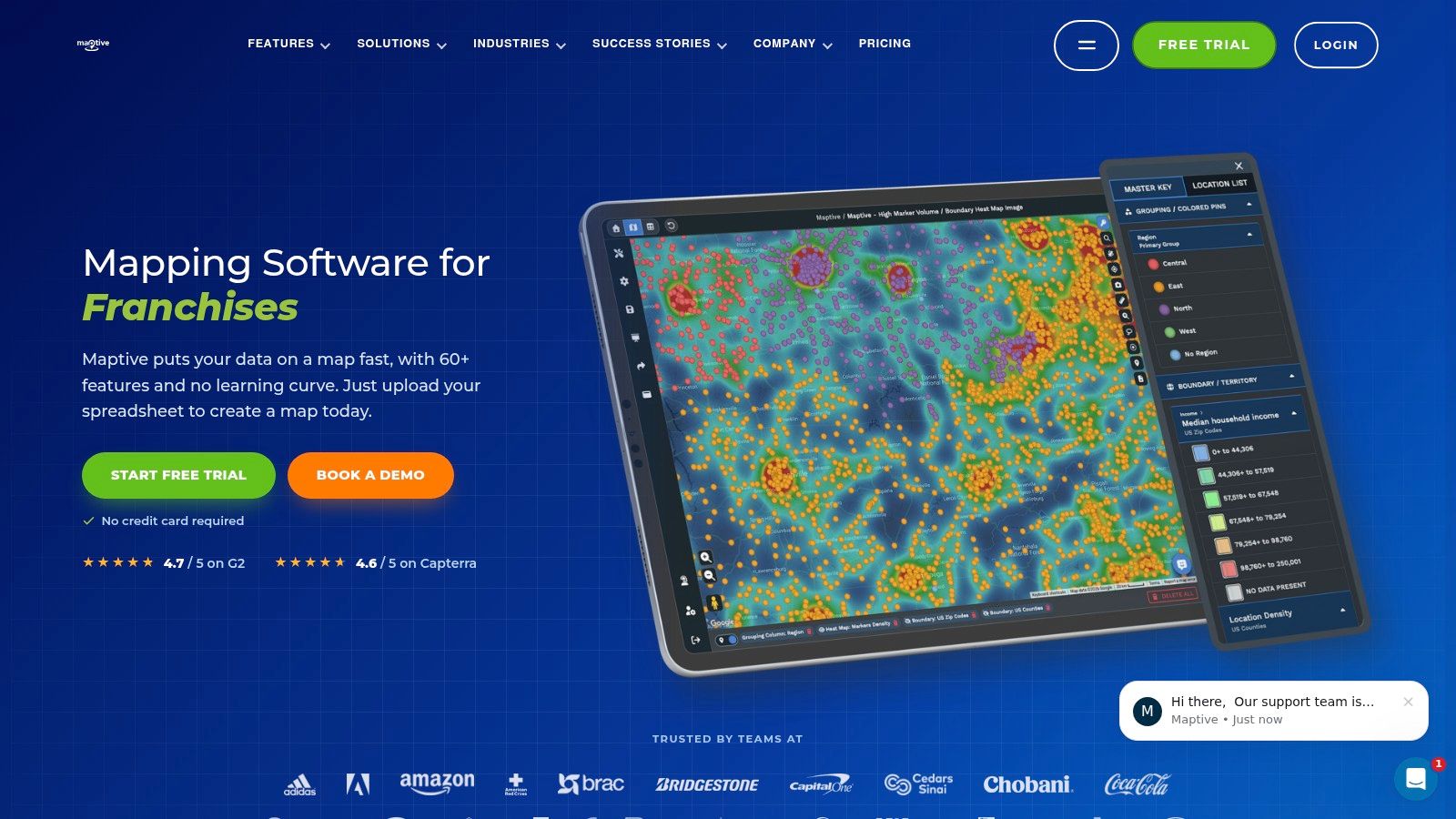
Maptive is strongest when the central problem is understanding territories, locations, and relationships rather than optimizing a delivery fleet. It provides unlimited maps, more than 60 mapping tools, and up to 200,000 markers per map. Those capabilities can help a travel manager visualize airports, FBOs, hotels, venues, passenger clusters, alternate transfer points, and service territories in one shared workspace.
The platform also supports API access, team and enterprise collaboration, and a short-term pass for one-off projects. That flexibility makes it useful for a corporate travel program or event operation that needs a visual planning layer without committing to a permanent mapping project.
Visualization before optimization
Maptive includes its full toolset on every plan, which avoids feature gating. A manager can style data, share maps, and compare territories without buying separate visualization modules. That makes it more suitable for collaborative planning than a navigation app.
Its route optimization depth is lighter than that of delivery-centric platforms. A map showing every airport and transfer point doesn't automatically prove that a sequence is feasible. Teams still need to check travel duration, service time, time windows, road access, aircraft schedules, and passenger requirements.
The higher Pro and Team prices also make more sense when mapping and collaboration are core needs. If the only task is to order a handful of ground stops, a simpler tool will usually require less setup.
9. MapQuest Route Planner
MapQuest Route Planner remains useful as a free baseline for occasional, low-complexity routing. It supports multi-stop optimization, tour and listing tools, truck-safe routing widgets, live traffic overlays, and straightforward sharing or export. A small team arranging several local airport transfers or a single vehicle's site visits can create a workable sequence without learning dispatch software.
Its 26-stop optimization limit defines the product's practical boundary. That can be enough for a one-off route, but it won't support the operational scale of a large event fleet or multi-vehicle transfer program.
The right comparison is simplicity versus control
MapQuest's familiar interface and low-friction access are genuine advantages. If one person plans the route and the driver executes it, the lack of account complexity may be preferable. The tool can also serve as a baseline against which a paid optimizer is evaluated.
It doesn't provide advanced fleet features such as proof of delivery, driver apps, or dispatch. That means the team must manage route changes, completion records, passenger communication, and exceptions elsewhere.
A practical example is a small executive group visiting several offices in one city. MapQuest can help order the road legs, but it won't know that one passenger has a hard meeting deadline, that security requires a specific arrival process, or that an airport transfer needs extra luggage capacity. Those constraints have to be handled manually or in a broader coordination workflow.
MapQuest is a useful answer to “what order should these stops follow?” It isn't an answer to “can the whole mission survive a delay?”
10. Google Maps
Google Maps is the most accessible option for quick, individual planning. It offers multi-stop directions, stop reordering, real-time traffic routing, Street View, point-of-interest data, and a smooth handoff to turn-by-turn navigation on web and mobile. For a traveler arranging a few ground movements, that combination is hard to beat for familiarity.
The route limit is 10 stops per route, which immediately separates Google Maps from delivery platforms. It also lacks dispatcher tools, proof of delivery, and driver management. A travel manager can share directions, but the system won't create a structured operational record for a fleet.
Excellent navigation, weak coordination layer
Google Maps works well when the sequence is short and the person planning the route is close to the person driving it. It can help a passenger check an airport access road, inspect a hotel entrance through Street View, or send a driver a familiar navigation link. Its live traffic awareness is valuable for the final road leg.
It isn't a substitute for multi-vehicle planning, time-window management, service-duration modeling, or exception handling. A route that looks fast on the map may still fail because an aircraft lands late, a passenger needs assistance, a transfer requires security coordination, or a later departure is fixed.
For executives preparing a complex itinerary, an executive travel itinerary template can help organize the information that Google Maps doesn't manage, including contacts, timing, and responsibilities.
Top 10 Multi-Stop Route Planners, Comparison
| Product | Core features (✨) | UX quality (★) | Pricing / Value (💰) | Best for (👥) | Standout (🏆) |
|---|---|---|---|---|---|
| Route4Me | ✨ Advanced optimization (time windows, capacities), APIs & add‑on marketplace | ★★★★ | 💰 Enterprise pricing; many paid add‑ons; 7‑day trial | 👥 Large enterprises, integrators | 🏆 Highly configurable + developer ecosystem |
| OptimoRoute | ✨ Fast optimization, live tracking, weekly planning | ★★★★ | 💰 Per‑driver pricing; transparent; 30‑day trial | 👥 SMBs to mid‑market delivery teams | 🏆 Driver‑priced model, scales for weekly batching |
| Routific | ✨ Order‑based optimization, GPS tracking, POD | ★★★ | 💰 Per‑order pricing; free tier ≤100 orders | 👥 Variable/part‑time driver teams | 🏆 Predictable per‑order billing; easy onboarding |
| Onfleet | ✨ Routing + dispatch, driver app, POD & notifications | ★★★★ | 💰 Tiered (task‑volume focus); add‑ons for carriers | 👥 Delivery ops needing full last‑mile stack | 🏆 Mature ops features & analytics |
| Upper Route Planner | ✨ AI driver assignment, territory mgmt, high stop caps | ★★★★ | 💰 Clear per‑user pricing; higher tiers unlock limits | 👥 Mid‑sized fleets with high stop routes | 🏆 Large per‑route stop limits & workload balancing |
| RoadWarrior | ✨ Mobile‑first multi‑stop, nav handoff (Waze/Apple) | ★★★ | 💰 Low entry price; practical solo/team plans | 👥 Solo drivers, couriers, small teams | 🏆 Quick setup + seamless nav app compatibility |
| MyRouteOnline | ✨ Multi‑route/day, driver app, address‑credit model | ★★★ | 💰 Pay‑as‑you‑go credit pricing; all features unlocked | 👥 Seasonal or pay‑per‑use planners | 🏆 Reusable credits & full feature access on all plans |
| Maptive | ✨ Google‑based mapping, territory visualization, APIs | ★★★ | 💰 Plan‑based; stronger mapping value than routing | 👥 Sales ops, managers, mapping analysts | 🏆 Best visualization & territory tools |
| MapQuest Route Planner | ✨ Free multi‑stop planner, truck routing, export tools | ★★ | 💰 Free; low‑friction baseline tool | 👥 Casual users & small ad‑hoc routes | 🏆 Free, easy sharing and quick planning |
| Google Maps (multi‑stop) | ✨ Real‑time traffic, POI/Street View, nav handoff | ★★★ | 💰 Free and ubiquitous | 👥 Individuals and quick day routes | 🏆 Excellent traffic data + familiar UI |
Choose by Mission Complexity, Not Brand Size
The best multi stop route planner depends on the work behind the stops. For an occasional ground route with a small number of destinations, Google Maps or MapQuest is usually enough. Google Maps is better for familiar navigation, traffic awareness, and quick sharing. MapQuest offers a larger stop allowance and a more explicit optimization workflow, but neither provides the dispatch, proof-of-delivery, or driver-management layer needed for a structured fleet.
RoadWarrior is the practical mobile choice when one driver or a small team needs fast execution through preferred navigation apps. Its offline handoff and clear stop limits make it easy to assess. It becomes less suitable when route changes, multiple vehicles, passenger communications, or operational records become central.
For structured delivery and field-service teams, Routific, OptimoRoute, and Upper Route Planner offer the most balanced progression from route optimization to live operations. Routific's order-based pricing can fit variable demand. OptimoRoute is useful for recurring batches and driver-based planning. Upper is attractive when territories, workload balancing, and business rules matter.
Route4Me and Onfleet belong on the shortlist when integrations, dispatch, and enterprise workflows outweigh simplicity. Route4Me is the more configurable option for APIs, SDKs, marketplaces, and complex planning structures. Onfleet is stronger when driver execution, recipient communications, proof of delivery, and analytics must sit beside routing.
Maptive is the better fit when territory visualization, shared maps, and spatial context are the main requirements. MyRouteOnline suits teams that plan from address lists and want a flexible credit-based model without feature gating. Neither should be judged only by the number of stops they can display. The relevant question is whether they represent the operational constraints that make a route usable.
Before choosing, validate the workflow against a real mission:
- Stop limits: Check the maximum route size, daily optimization allowance, and multi-route behavior.
- Pricing units: Compare per-driver, per-user, per-order, and address-credit models against both normal demand and peak demand.
- Time windows: Confirm whether arrival windows, service duration, and late-stop consequences can be modeled directly.
- Exports and handoffs: Test whether routes move cleanly into the navigation, dispatch, calendar, or travel systems the team already uses.
- Offline behavior: Verify what drivers can access when coverage is weak and what data synchronizes later.
- Integrations: Review APIs, SDKs, webhooks, and add-ons before assuming a product can connect to the wider workflow.
- Coordination ownership: Assign responsibility for aircraft, airport, passenger, customs, security, luggage, catering, and ground-transfer decisions.
A road optimizer can calculate distance and duration matrices between stops, which is more useful than relying on straight-line distance. Google's routing documentation describes distance and duration outputs in miles, meters, minutes, and seconds, while its VRP guidance shows how travel-time matrices support multi-vehicle optimization. That distinction matters when an airport access road, congestion corridor, restricted road, or slow transfer route makes a short leg operationally unattractive.
Time windows and other constraints also change the evaluation. Research on routing with time windows found that approximately 86% of reviewed algorithms were approximate methods and nearly 40% used hybrid approaches, reflecting how difficult it is to optimize vehicles, destinations, deadlines, capacities, and service requirements together, according to this systematic review of vehicle routing with time windows. For a private aviation mission, the equivalent problem includes aircraft availability, airport operating hours, passenger ground-transfer buffers, customs, repositioning, and downstream commitments.
The resilience question is even more important. Zurich's 2026 Business Travel Outlook reports that 80% of international business travelers experienced at least one disruption in 2025, 47% experienced multiple disruptions, and 76% are concerned about disruptions and delays in 2026. Those figures are from the outlook's projection and reporting context, and they show why a route should be judged by the probability of completing every critical stop on time, not only by total duration. A useful planner should support hard deadlines, acceptable lateness, backup airports or transfer points, escalation rules, and downstream replanning.
Climate is another area where a simple “fastest” or “lowest-fuel” result can be incomplete. An analysis of 85,000 routes found that avoiding warming contrails could reduce contrail climate impact by 73% while increasing CO2 emissions by less than 1%, although operational feasibility still requires validation, as described by the DLR analysis of contrail avoidance. A future-ready aviation workflow should make trade-offs visible rather than label every detour as automatically greener.
For private aviation missions involving aircraft selection, operator vetting, rapid mobilization, security, medical support, cargo, or end-to-end transfers, Approved Jets belongs on the coordination side of the decision. It arranges on-demand charter flights and integrated travel services through a vetted operator network, while coordinating details such as aircraft matching, customs paperwork, security, catering, and ground transfers. That work complements a road planner. It doesn't replace the routing software a dispatcher may use for local vehicle movements.
Approved Jets can coordinate multi-stop private charter itineraries alongside ground transfers, customs paperwork, security, catering, medical support, and cargo requirements. If your next mission depends on reliable handoffs across aircraft, airports, passengers, and vehicles, visit Approved Jets to discuss the itinerary and coordination requirements.